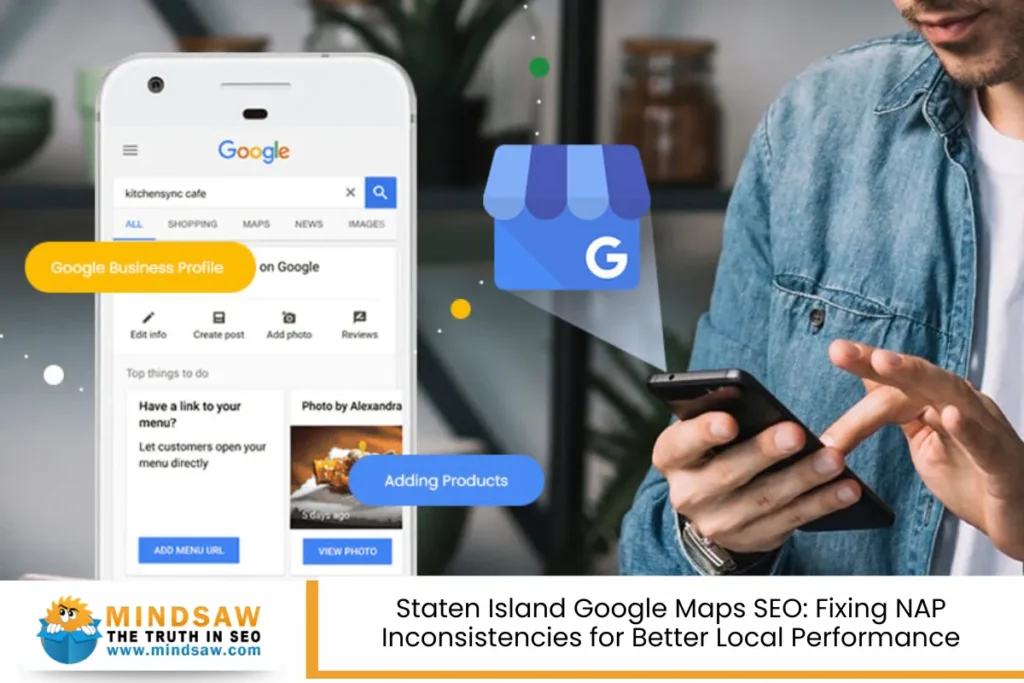

If you’re a business owner in Staten Island, showing up on Google Maps can make or break your local success.
People are searching every day for services “near me”, and if your business doesn’t show up in those mobile searches, you’re likely losing potential customers to competitors who do. That’s where Google Maps SEO and local SEO come in—and they start with one often-overlooked issue: NAP inconsistencies.
NAP stands for Name, Address, and Phone number. Sounds simple, right? But when those three things don’t match across the internet—on directories, social media, or even your own website—search engines lose trust in your information. That means lower search visibility, lost customer leads, and missed opportunities for services for business growth.
Let’s fix that.
Understanding the Impact of NAP Inconsistencies
NAP inconsistencies might seem harmless, but they can seriously mess with your search rankings and online visibility. Here’s why.
Imagine this:
- Your website says “123 Main Street, Staten Island, NY”
- Yelp says “123 Main St., Staten Island, NY”
- Google shows “123 Main St Suite 2”
Even small differences like “St” vs “Street” or a missing suite number can confuse Google Business Profiles, online directories, and most importantly—search engines.
These platforms rely on citation accuracy to connect the dots and verify that you’re a real, accurate business. When the dots don’t connect, your search engine trust drops. That directly affects whether you appear in the local 3-pack—the top three businesses listed in Google Maps results.
The risks of NAP inconsistencies include:
- Missed placement in Google Maps
- Lower rankings in organic search
- Loss of customer trust
- Fewer customer interactions and customer feedback
- Slower citation growth over time
Bottom line? If Google’s not sure who you are, it won’t show you to future customers.
Common Causes of NAP Inconsistencies

Before you can fix the problem, you need to know what’s causing it. Many Staten Island business owners don’t even realize their listings are mismatched across dozens of directories.
Here are the most common reasons:
- Moved Locations
Didn’t update all your directory listings after changing your address? That’s a red flag. - Multiple People Managing Listings
Different team members or agencies inputting slightly different info. - Style and Format Variations
Examples:- “Suite 2” vs “#2”
- “Company LLC” vs “Co. LLC”
- Phone numbers with different formatting
- Old Listings Hanging Around
Old versions of your business on Third-party directories or legal directories still live on the web. - Unclaimed Listings
If you haven’t claimed your Google Business Profile, high-authority directories may generate info based on assumptions.
How to Audit Your Staten Island Business Citations

Now let’s fix the mess. Start with a full NAP audit. Here’s how:
🧾 Step 1: Create a “Master NAP Document”
This is your source of truth. Include:
- Exact business name (no nicknames or shorthand)
- Full street address (formatted the same every time)
- Phone number
- Website URL
- Business category
- Business hours
Use this on all platforms: websites, Google Business, social media, marketing materials, and every directory listing.
Step 2: Search and Compare
Google your business name. Look at listings on:
- Google Business Profiles
- Yelp
- Bing Places
- Apple Maps
- Yellow Pages
- BBB
- Local Staten Island blogs and community directories
Check for:
- Incorrect contact details
- Duplicates
- Mismatches in formatting
Step 3: Use Citation Tools
To speed things up and improve citation accuracy, use trusted citation tools like:
They help clean up and sync listings across hundreds of directories, saving you billable time and preventing citation decay in the future.
Fixing Inconsistent NAP Citations

Now that you know where the issues are, let’s fix them.
Manual Fixes (If You Prefer Control):
- Log into each listing account
- Update info to match your master NAP sheet
- Delete or merge duplicate profiles
- Keep a record of every update made
Using Tools for Automation:
Most businesses save time by using citation tools that:
- Detect errors across major directories
- Push updates to 40–100+ platforms
- Offer dashboards to track citation growth
Don’t Forget:
- Update your Google Business Profile first—it’s your #1 listing.
- Use structured data (Schema.org markup) on your website to match your NAP.
- Embed your Google Map location on your contact page.
- Respond to customer reviews to increase engagement and search engine optimization benefits.
NAP Consistency as a Competitive Advantage in Staten Island

Staten Island might be a smaller borough, but competition is real—especially on Google Maps. Businesses that nail their NAP consistency gain a serious edge over others who haven’t touched their listings in years.
Here’s why.
Local search is all about:
- Relevance: Are you offering the right service for the search?
- Proximity: Are you close to where the search is happening?
- Prominence: Do you have a trusted online presence?
Consistent citations boost all three. By making sure your exact business info is the same on legal directories, major directories, and third-party directories, you send strong signals to search engines that your business is trustworthy.
How this helps Staten Island businesses specifically:
- Hyperlocal searches like “Staten Island dentist open now” or “Richmond Ave pizza delivery” depend on accurate business info.
- People searching on-the-go during mobile searches want fast answers. If Google’s unsure about your info, it won’t show you.
- Staten Island’s tight-knit neighborhoods (like St. George or Great Kills) mean location-based keywords matter even more.
Being a business owner who takes NAP seriously is not just about SEO—it’s a marketing strategy that wins customer trust and drives customer leads.
Ongoing Maintenance & Monitoring

NAP work isn’t just a one-time fix. Your info needs to be reviewed regularly to maintain accuracy over time.
How to stay consistent:
- Set a reminder every 3 months to check your listings.
- Keep your master NAP document updated if anything changes (new suite, number, hours, etc.).
- Use tools like BrightLocal or Moz Local to monitor your search visibility and citation health.
- Double-check your Google Business Profile Insights. This shows how many people are finding your business on Google Maps, what they searched, and what actions they took (calls, visits, directions).
Watch for changes in:
- Business hours
- Business types or added services
- Staff contact info
- Review responses and customer feedback
Keeping things clean boosts your search engine trust and your search ranking factors—and saves your billable time down the line.
Power Up Your SEO Performance with Simple NAP Fixes
You don’t need a massive ad budget to grow your local presence. Fixing your NAP alone can lead to more:
- Customer interactions
- Customer reviews
- Customer service success
- Conversions over time
And the best part? You’re not guessing. You’re following what search engines already want—citation accuracy, clear directory listings, and consistent contact details across platforms.
That’s how smart search engine optimization works.
Here’s your quick recap checklist:
✅ Local SEO To-Do List:
- Create your master NAP sheet
- Audit your listings on high-authority directories
- Use citation tools to speed up fixes
- Keep your Google Business listing up to date
- Respond to customer reviews regularly
- Monitor performance with Google Business Profile Insights
- Repeat every 3–6 months
Small updates. Big difference.
Staten Island Google Maps SEO – Mindsaw

Struggling to get your business seen on Google Maps? At Mindsaw, we specialize in Google Maps SEO and fixing NAP inconsistencies that hurt your local search visibility. Whether you’re in Staten Island or anywhere in the United States, Canada, or Australia, we help businesses like yours rank higher, attract potential customers, and turn clicks into calls.
Let our team clean up your listings, boost your Google Business Profile, and improve your local SEO performance. Want more leads, better rankings, and more satisfied customers? Call us today at (718) 227-2300 or fill out our quick contact form. We’ll show you how accurate business info can turn your map listing into a lead magnet!
FAQ – Fixing NAP Inconsistencies for Better Local SEO and Google Maps Visibility
Why is my Staten Island business not showing up on Google Maps?
If your Staten Island business isn’t appearing on Google Maps, it’s likely due to problems with your Google Business Profiles or your business NAP—Name, Address, Phone Number. Incorrect contact details, unverified listings, or missing key details like your primary category can stop search engines from displaying your listing.
Common issues include:
- Mismatched operating hours across online directories
- Incomplete business details on major platforms
- Missing Business Schema markup on your website
- Lack of positive reviews or high-quality images
- Duplicate or outdated online business listings
To improve your search visibility and organic traffic, complete the verification process, provide a compelling business description, and ensure accurate NAP details are used consistently. Include relevant keywords, set your zip codes, and update all your social profiles. A digital marketing agency can assist with a comprehensive analysis and correction process to help potential customers find your physical locations.
How do I fix my inconsistent business citations?
Fixing inconsistent contact details is essential to restoring trust with search engines and improving your SEO success. Start by collecting every individual listing from dozens of directories, including major sources like Yelp, Bing Places, and Apple Maps. Look for NAP mismatches—spelling errors, wrong numbers, or formatting issues.
Follow this approach:
- Create a master format with your correct business info
- Use SEO tools like Moz Local or BrightLocal to scan and flag issues
- Update each online listing manually or submit cleanup requests
- Remove duplicate business listings or request merges
- Ensure consistent country code, hours of operation, and business category
This process supports citation growth, builds trust from search engines, and improves your conversion rates. When done right, it leads to better click-through rates and more qualified traffic from organic search. If you’re short on time, an SEO expert or digital marketing agency can streamline the correction process and expand your broad citation footprint.
Do NAP inconsistencies affect voice search or “near me” searches?
Yes, NAP issues directly impact voice search and “near me” search accuracy. These search types rely on accurate NAP details, particularly your business phone, address, and zip codes across hundreds of directories. If inconsistent contact details exist, your online visibility will suffer.
Voice assistants like Siri and Google Assistant use:
- Verified Google Business Profiles
- Location-based data from online platforms
- Real-time business details, such as hours of operation
If you have incorrect details or incomplete listings, your business may not be suggested to future customers. Ensuring a consistent format across all online directories helps improve search performance and your appearance in voice search results.
To optimize for these queries:
- Keep your business NAP updated on major platforms
- Add Business Schema to your website
- Use strategic keyword placement and ensure keyword strategy aligns with local searches
- Maintain a monthly or regular audits schedule for all listings
Which directories should Staten Island businesses prioritize?
Staten Island businesses should start with major platforms where customers actively search and leave positive reviews. Focus on online directories and citation opportunities that influence search visibility and SEO efforts.
Start with these:
- Google Business Profiles
- Yelp
- Bing Places
- Apple Maps
- BBB
- Yellow Pages
- Local Staten Island business sites and news outlets
Also include high-authority sources relevant to your business category or industry, such as legal directories, medical networks, or niche platforms for multi-location brands and e-commerce brand listings.
Make sure every listing includes:
- Your correct business details
- A direct link to your website
- Your business phone and operating hours
- A consistent business category and secondary categories where relevant
Maintaining a broad citation footprint on hundreds of directories ensures you capture qualified traffic, boost organic search visibility, and attract loyal customers.
Is it okay to abbreviate address information differently across platforms?
No, it’s best to avoid inconsistent formatting like “Street” vs. “St.” or “Suite” vs. “#”. Even small differences across online platforms can cause confusion and flag your listings as suspicious, leading to lower search performance and lost conversion rates.
Why this matters:
- Search engines rely on consistent format to link your business across online listings
- Variations can result in duplicate business listings
- It reduces the trust from search engines, hurting your local SEO strategies
To stay consistent:
- Choose one formatting style and apply it everywhere
- Use a master format for your NAP
- Avoid symbols, abbreviations, or shortcuts unless used sitewide
- Match your address to what’s used on your Google Business Profiles
This helps improve your click-through rates, builds online visibility, and strengthens your SEO efforts long term.
Can I use tools to automate citation fixing?
Yes, using SEO tools like Moz Local or BrightLocal can save time and improve citation accuracy. These tools help manage your presence across hundreds of directories by scanning, flagging, and updating your online business listings automatically.
Benefits of using automation tools:
- Faster correction process
- Alerts for NAP issues or unverified listings
- Helps you discover new citation opportunities
- Boosts citation growth for multi-location brands
- Consistent updates to ensure accurate NAP details
While manual citation building gives you full control, tools offer scale and efficiency—especially for brands managing listings in multiple business locations or across different zip codes.
An experienced digital marketing agency can also use these tools in combination with expert tips and internal linking strategies to enhance your overall SEO success.
How often should I review my NAP citations?
You should perform regular audits of your business NAP every quarter, or at minimum, a monthly review for active businesses. This ensures your correct business info is always live, even if you update hours of operation, move locations, or change phone numbers.
A NAP review schedule should include:
- Checking online directories and major platforms for outdated info
- Verifying your Google Business Profiles listing details
- Comparing current listings with your master format
- Running a scan with tools like Moz Local or BrightLocal
- Reviewing social profiles, marketing materials, and internal links for accuracy
Keeping NAP data current helps maintain online visibility, drive qualified traffic, and build trust from search engines. It’s also key to sustaining SEO strategies, especially for multi-location cleanup efforts or growing e-commerce brand presence across markets.
Read more Staten Island Google Maps SEO: 2025 Breakdown of Essential Map Pack Ranking Signals